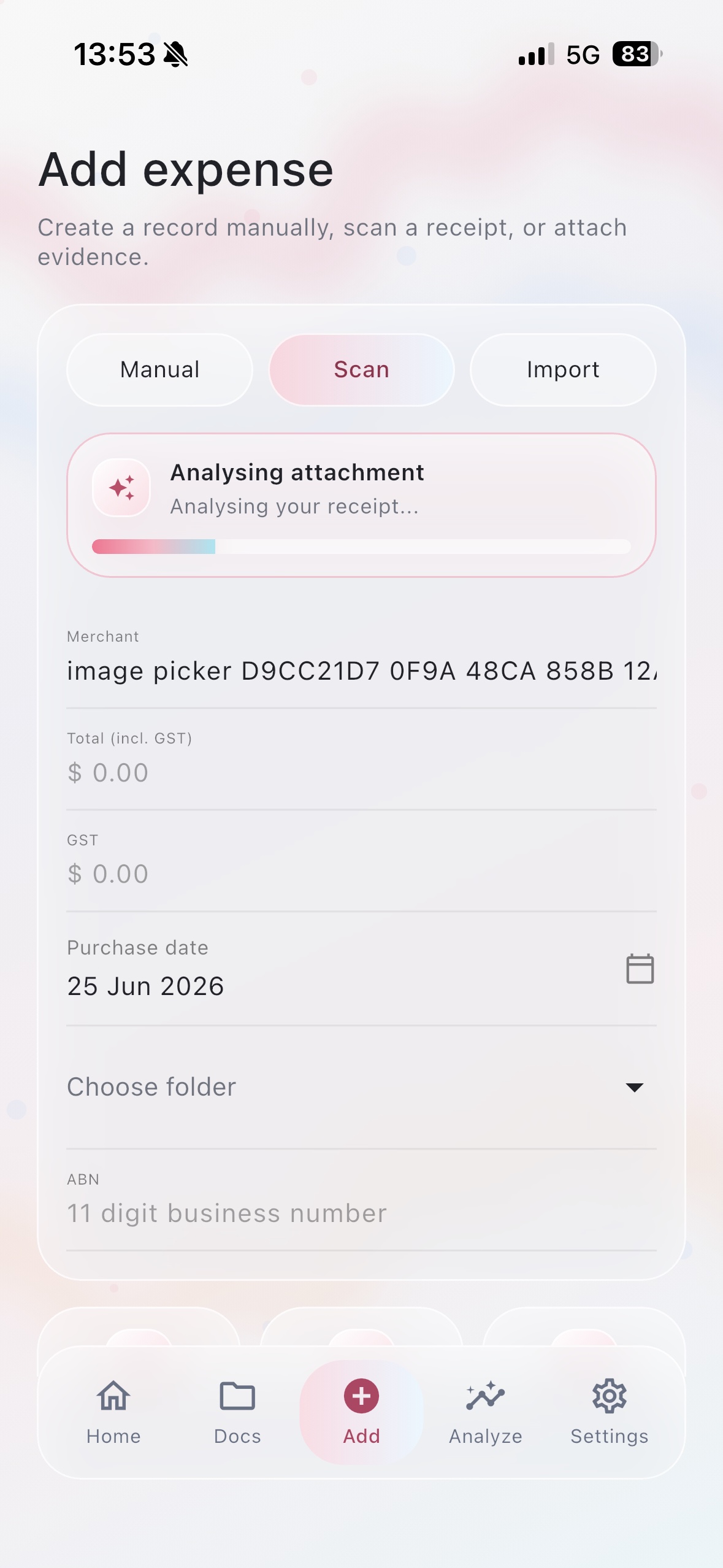
Smart capture
Scan, import, or enter an expense manually.
Attach a receipt, let Receipta analyse it, then check the merchant, total, GST, purchase date, folder, and ABN before saving.
 Receipta
Available on Android and iOS.
Receipta helps you scan or import receipts, capture GST and dates, export account reports, create client invoices, and keep sensitive files inside Secure Pro.
Receipta is available on Google Play and the App Store. App Store search may take time to update after a new release.
Receipta is built around the records people need to keep: what was bought, when it happened, how much GST was captured, and where the evidence is stored.
Smart capture
Attach a receipt, let Receipta analyse it, then check the merchant, total, GST, purchase date, folder, and ABN before saving.
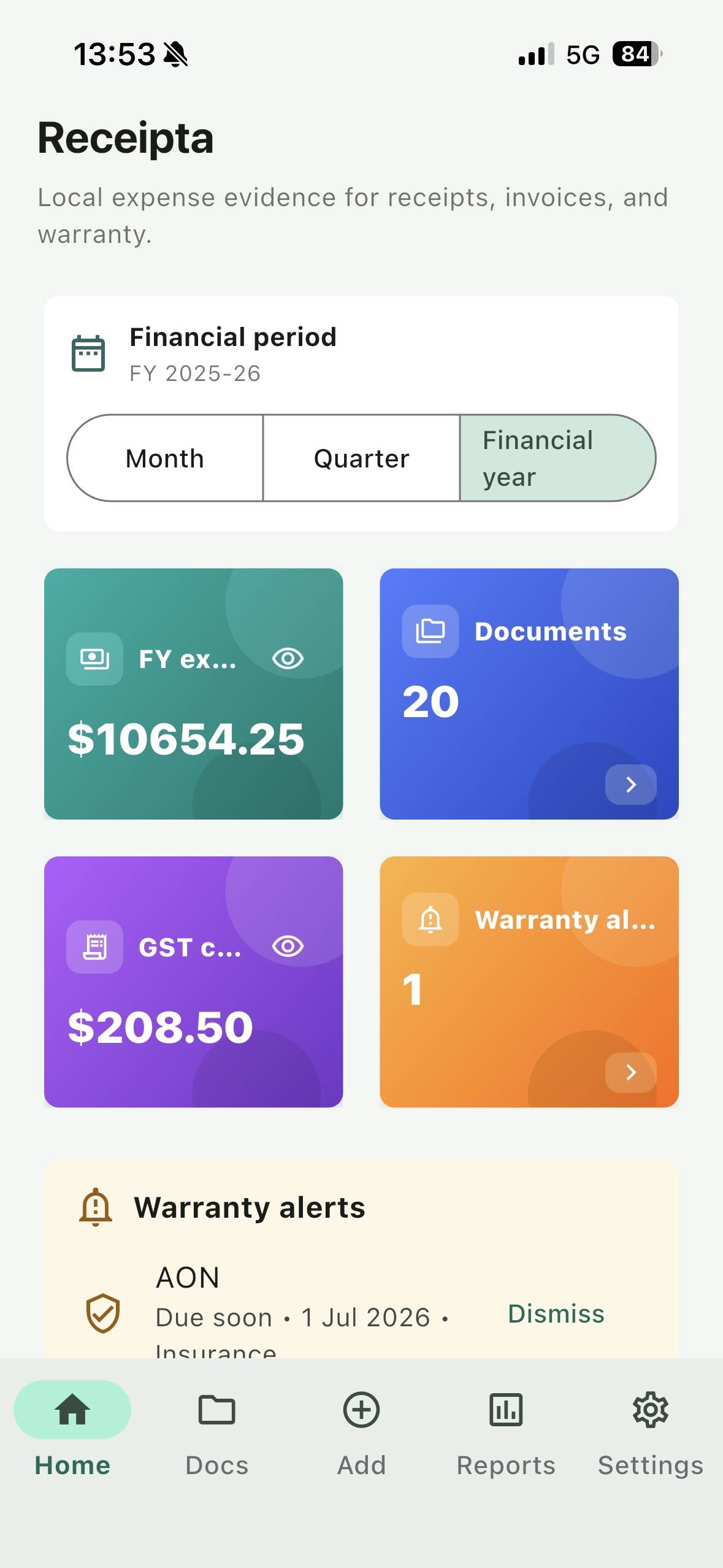
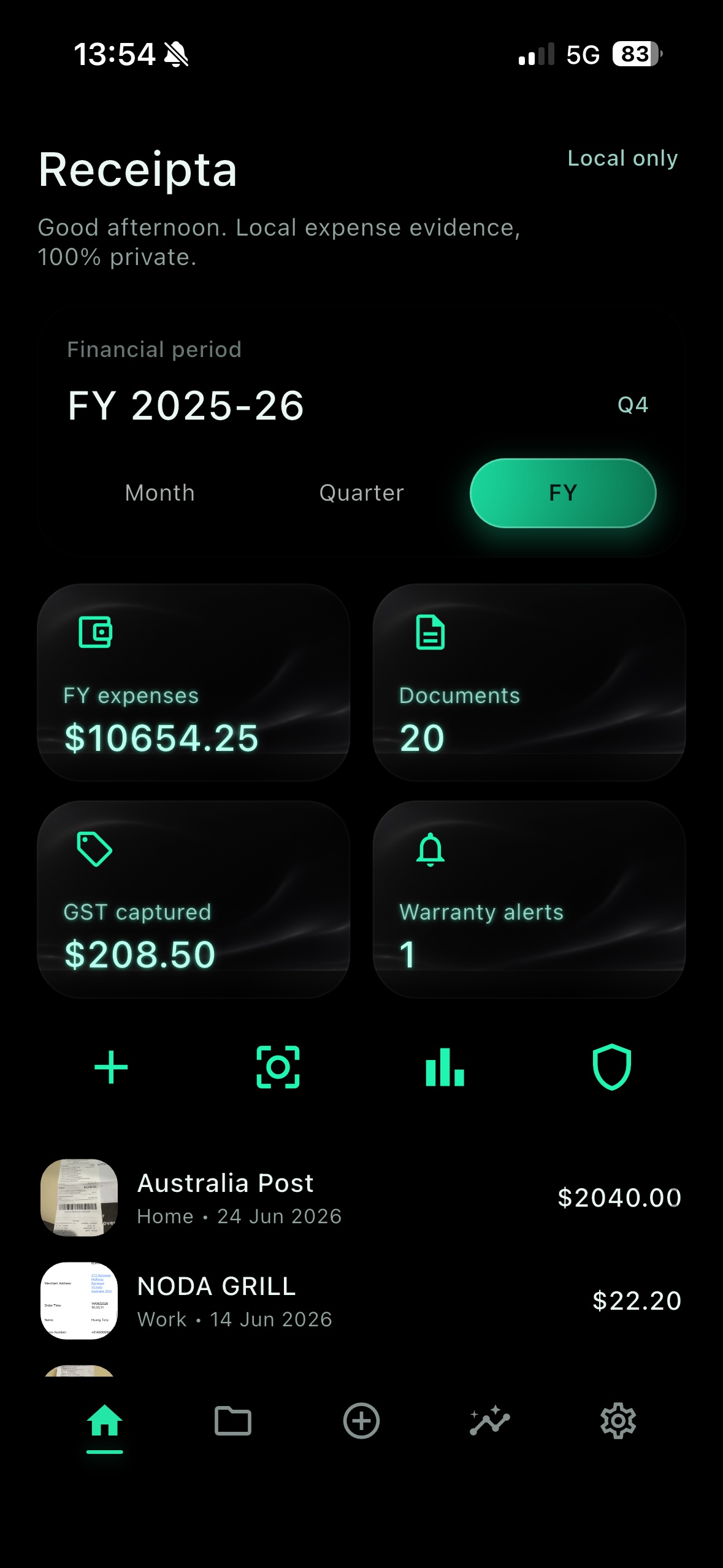
Track financial year expenses, documents, GST captured, and warranty alerts from the home screen.
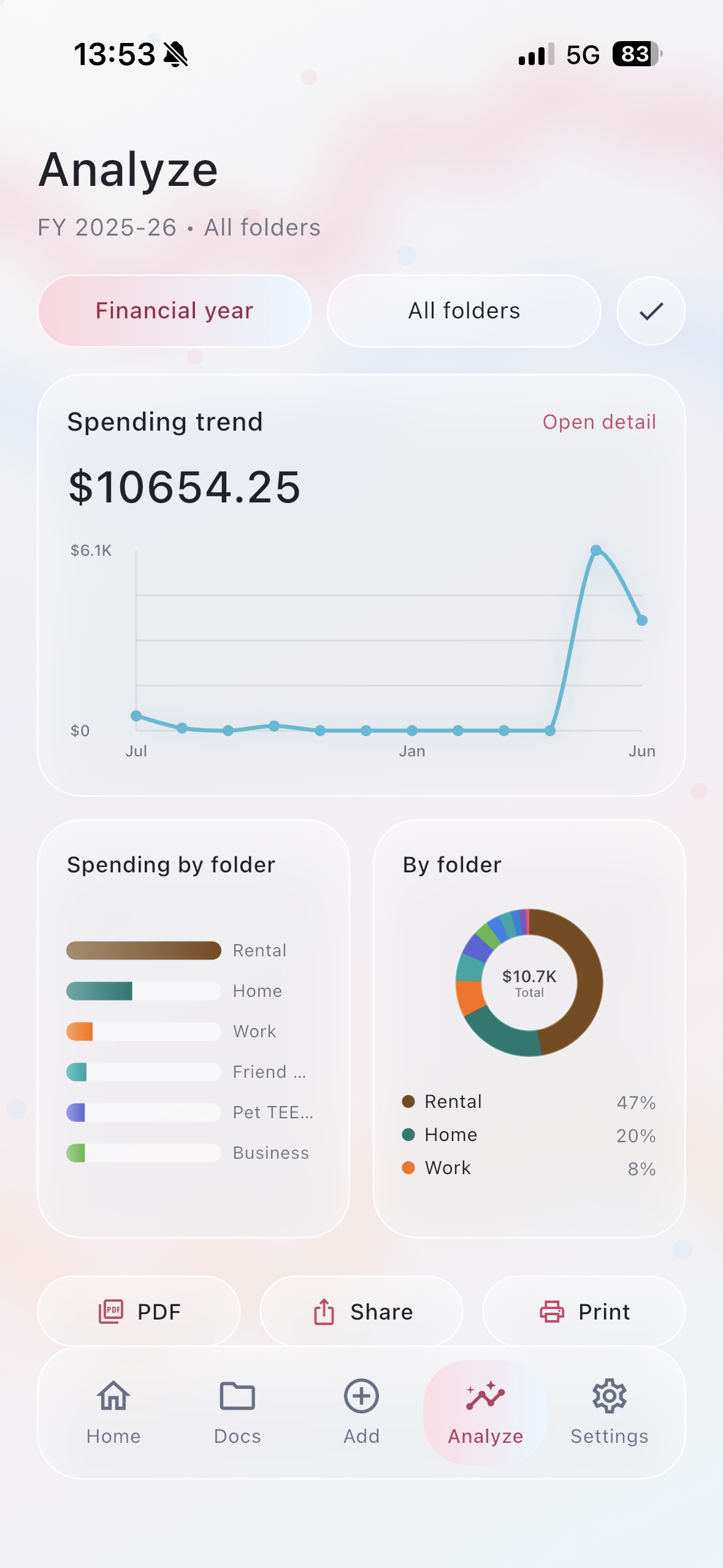
Use charts and folder breakdowns to understand where money is going, then export or share reports when needed.
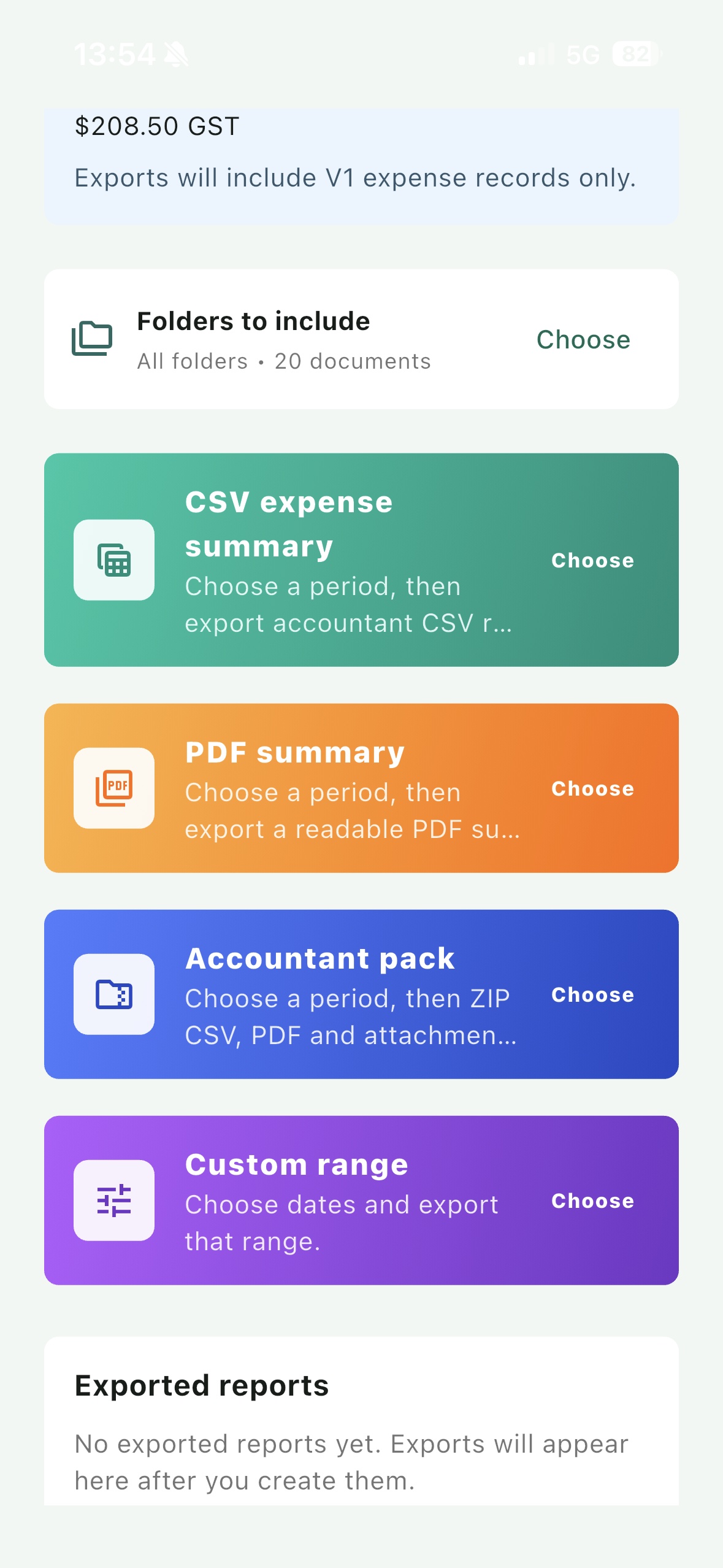
Account Reports
Create useful report files from the receipts and invoices already saved in Receipta. Choose the period and folders, then export the format you need.
For freelancers, tradies, sole traders, and small businesses that need to send invoices from the phone.
Business file
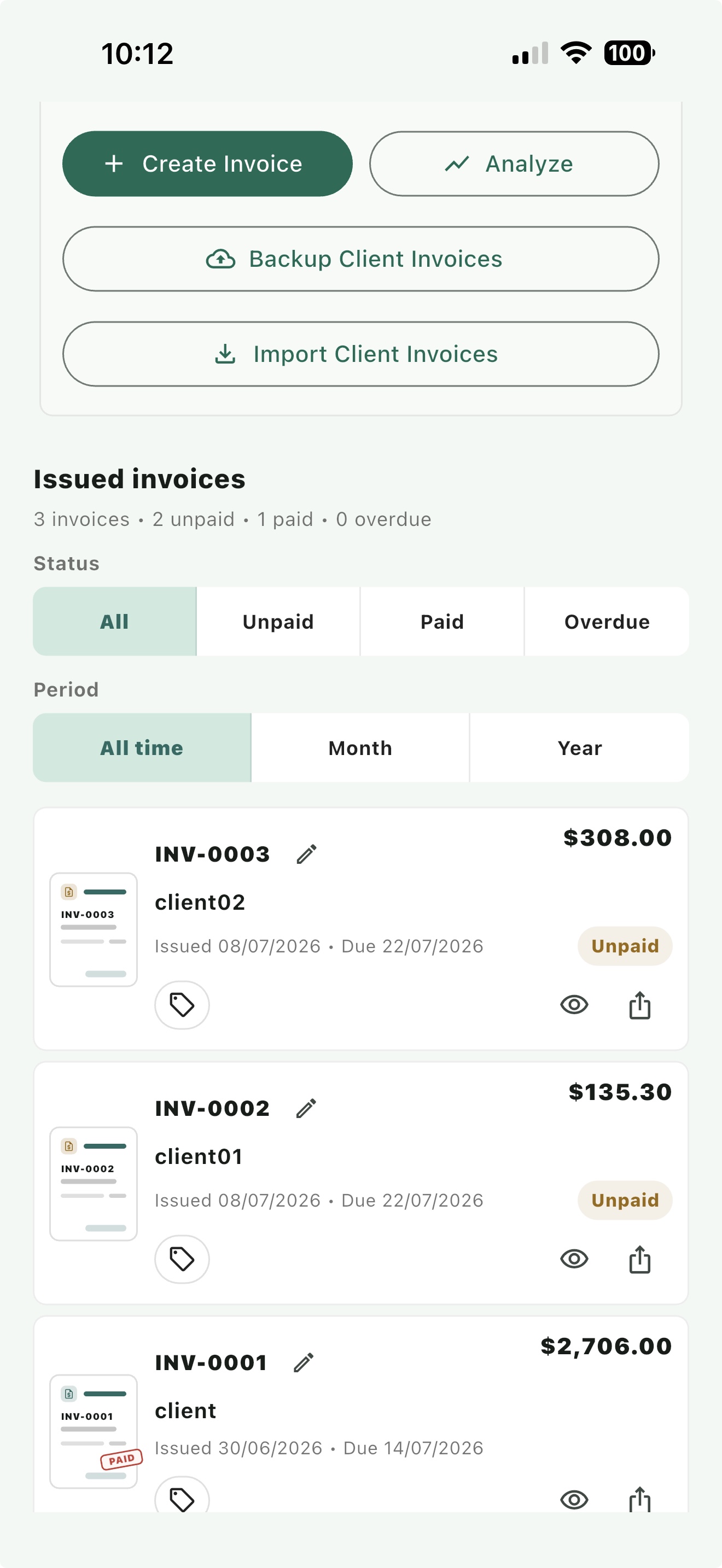
Save your business file, create invoice PDFs, send them to clients, and keep track of what is paid, unpaid, or overdue.
Store business name, ABN, contact details, payment terms, and bank details.
Add clients, line items, GST, due dates, and notes, then generate the invoice.
Filter invoices by all, unpaid, paid, or overdue so follow-up work is clear.
Use the invoice analysis view to understand issued invoices and payment status.
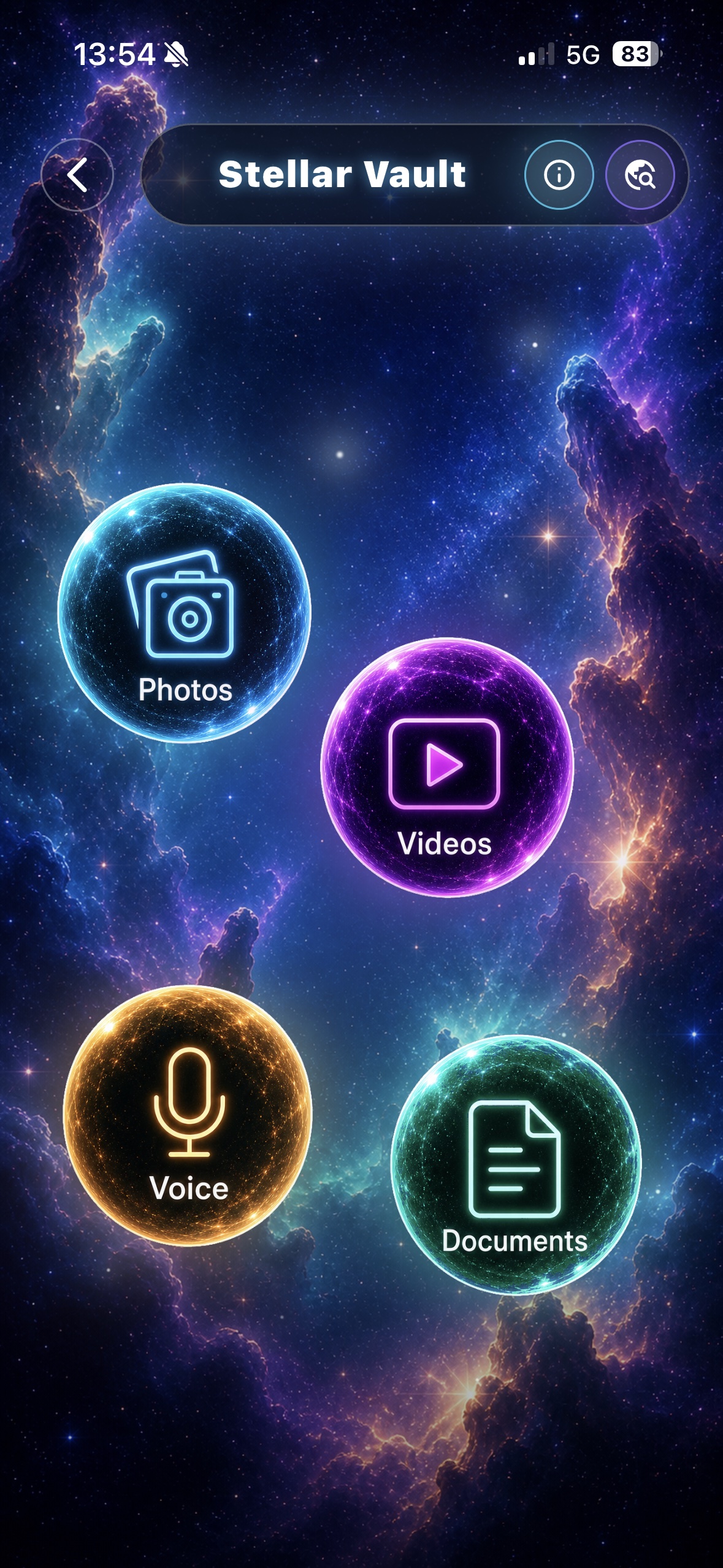
Secure Pro
Secure Pro gives users a separate place for private photos, videos, voice notes, and documents. It is useful for sensitive evidence that should not sit beside ordinary receipt records.
Use Receipta in light mode, dark mode, or the analysis view depending on the work you are doing.
Receipta stores records locally on your device. Smart Scan sends only the selected receipt or invoice image to the Receipta scan service for extraction. Private Document Vault files and passwords are not uploaded to the scan API.
Download Receipta on Android or iPhone today.